From the actual work
Purchasing, system links, monitoring, Odoo extensions and store-published apps: this is the kind of work that runs in production. Each example covers the problem, what was built, and why it keeps running.
The screens alongside are, for some examples, real screenshots — with sample or anonymised data, always noted in the caption — and for the rest a sample view of the kind of screen. If you run Odoo yourself, that one will likely look the most familiar.
Purchasing and stock signals
The problem
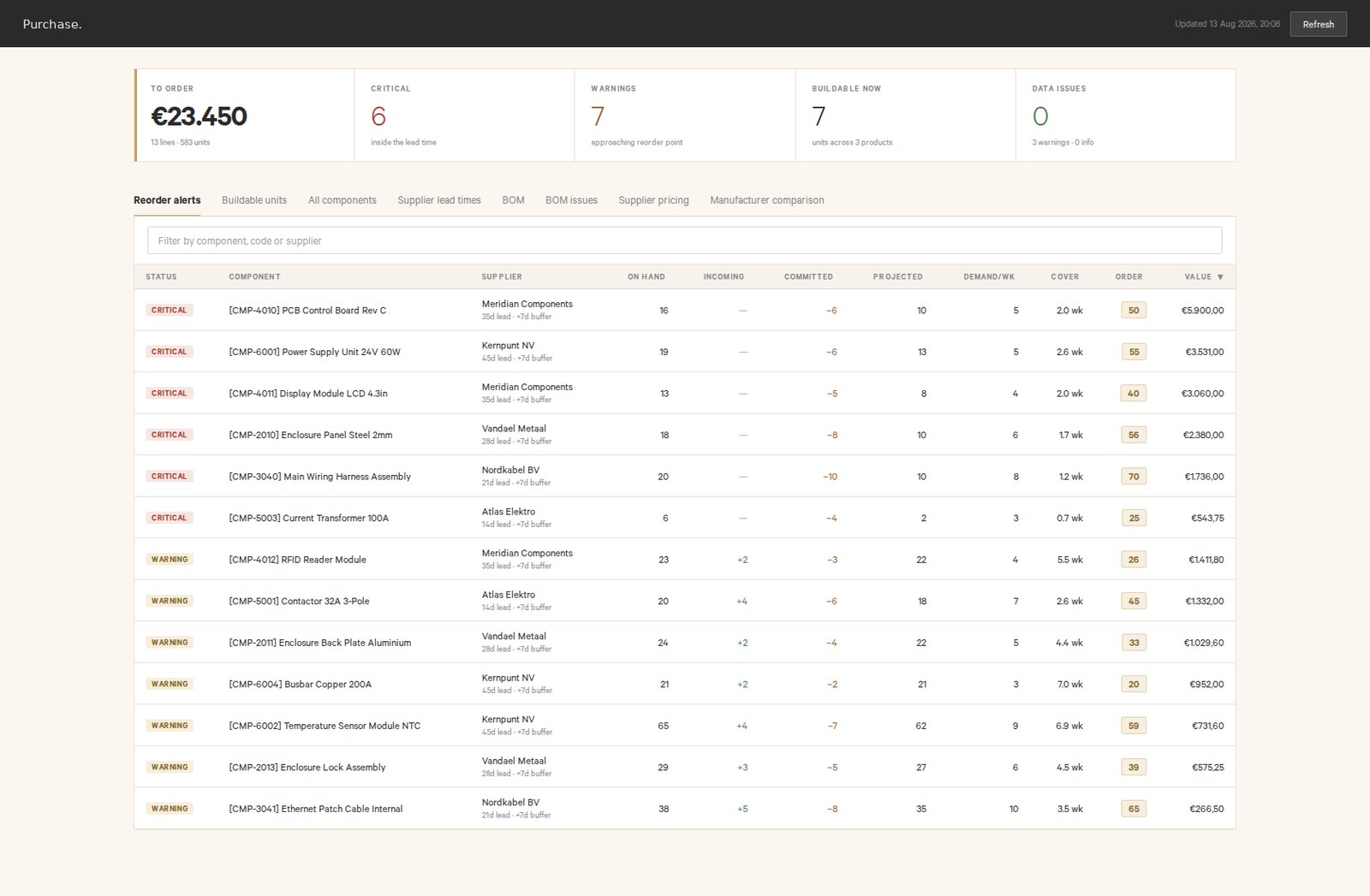
Ordering ran on gut feel and a loose spreadsheet: it only became clear an item was almost out once it was already urgent.
The solution
A program that calculates a reorder point and safety stock per item from the order history itself, with an ABC breakdown showing which items need the closest attention. No forecasting model and no guessed demand curve — just arithmetic on what was actually ordered and delivered, with a signal once stock drops below the reorder point.
Why it still runs
It still runs day to day in purchasing, and gets adjusted occasionally when a supplier's lead time changes — the same kind of upkeep Individual days exist for.
Needs a foundation to build on: roughly a year of order history and known lead times from your suppliers.
At your business, the smaller version looks the same: reorder points and signals calculated from your own order history, built within a few days.
See Five daysReal interface, sample data
Linking systems together
The problem
Two systems that both needed the same information but didn't talk to each other: data got retyped by hand from one screen into the other, with a chance of a mistake every time.
The solution
A link that lets data flow automatically between the platform and the ERP system: what changes in one system arrives in the other without anyone typing it twice.
Why it still runs
The link still runs in daily operations, and has grown along with new versions of both systems it connects — like any link, that takes occasional upkeep, not a fix for a fault, just the kind of work Individual days exist for.
At your business the smaller version is a targeted link between two systems you already use — related to reading documents and invoices automatically, one of the examples on the approach page.
See Five daysSample view
Software running in the field, updatable remotely
The problem
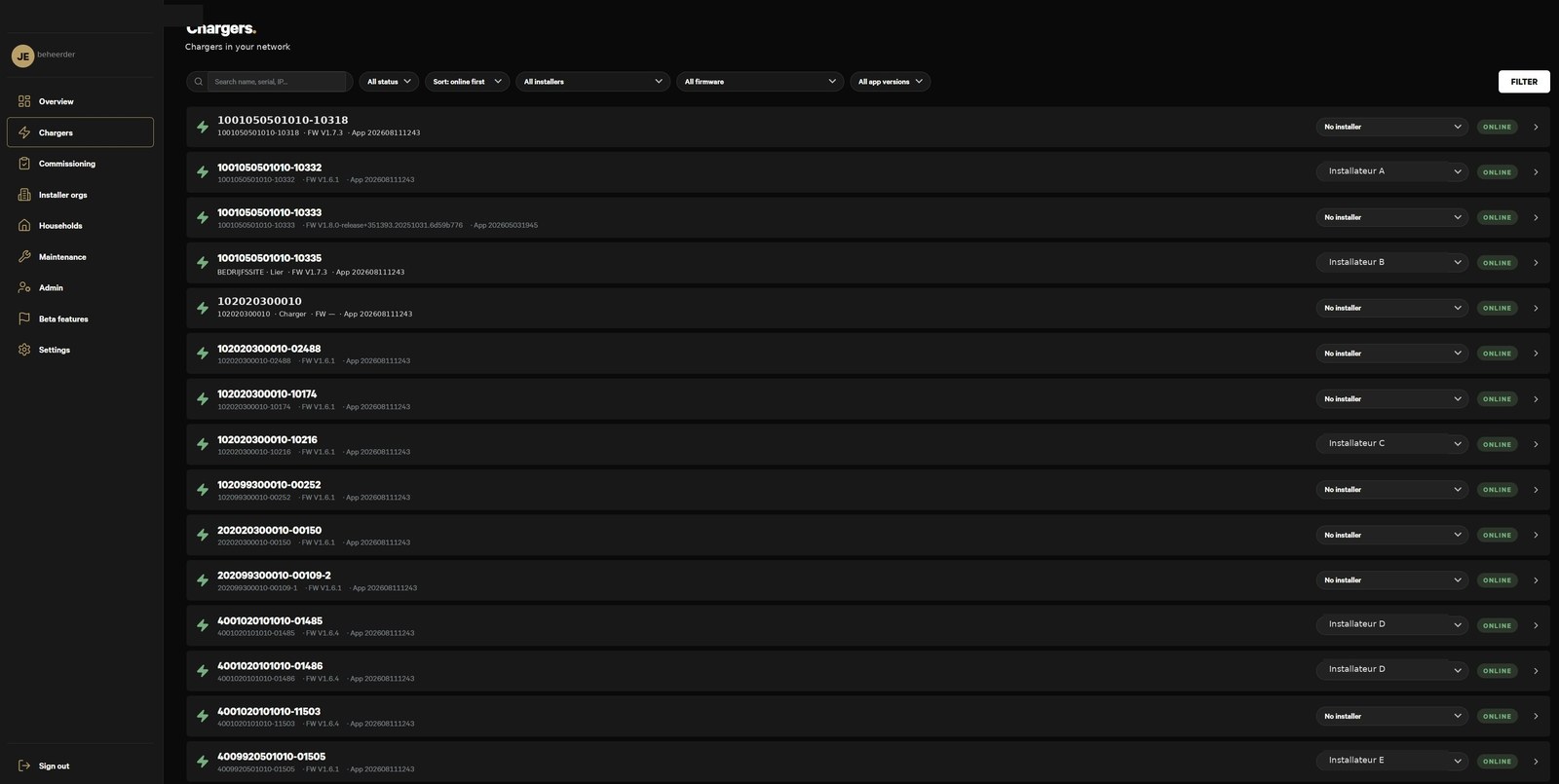
Equipment that isn't sitting on a desk, but out on location somewhere, has to keep working without anyone checking on it daily — and still needs the occasional update without a site visit for each one.
The solution
Software that runs on the device itself and can update remotely, with a safety net so a failed update doesn't leave a device that won't start up.
Why it still runs
The update and monitoring layer around it is exactly what makes a stuck device report that visibly, instead of someone finding out by chance on a site visit.
At your business the smaller version is any device, sensor or piece of software running somewhere without daily attention, with a way to update it remotely.
More on how it keeps runningReal view, data anonymised
Monitoring and alerting
The problem
Something stops working — a link that hangs, a job that stops delivering — and it only comes out much later that it had been silent the whole time, because nobody was actively watching it.
The solution
A check that actively verifies a system is still doing what it should, and the moment it isn't, sends a signal straight to one specific person — an email or message, not a number on a dashboard nobody opens daily.
Why it still runs
That's the same promise the approach page makes: errors are loud, not silent. This example is the practice behind that promise — the same principle is built into the systems running in production today, so a fault becomes a message instead of a surprise that surfaces later.
At your business, every piece of software comes with the same promise: a visible signal the moment it stops or gets stuck, instead of you finding out by accident.
Errors are loud, not silentSample view
- Invoice read stalled — signal to Purchasing08:14
- Stock job ran07:00
Automatic lead and email follow-up
The problem
A lead comes in by email or a form and sits there because nobody had time to reply that week — sometimes a day late, sometimes a week, sometimes never.
The solution
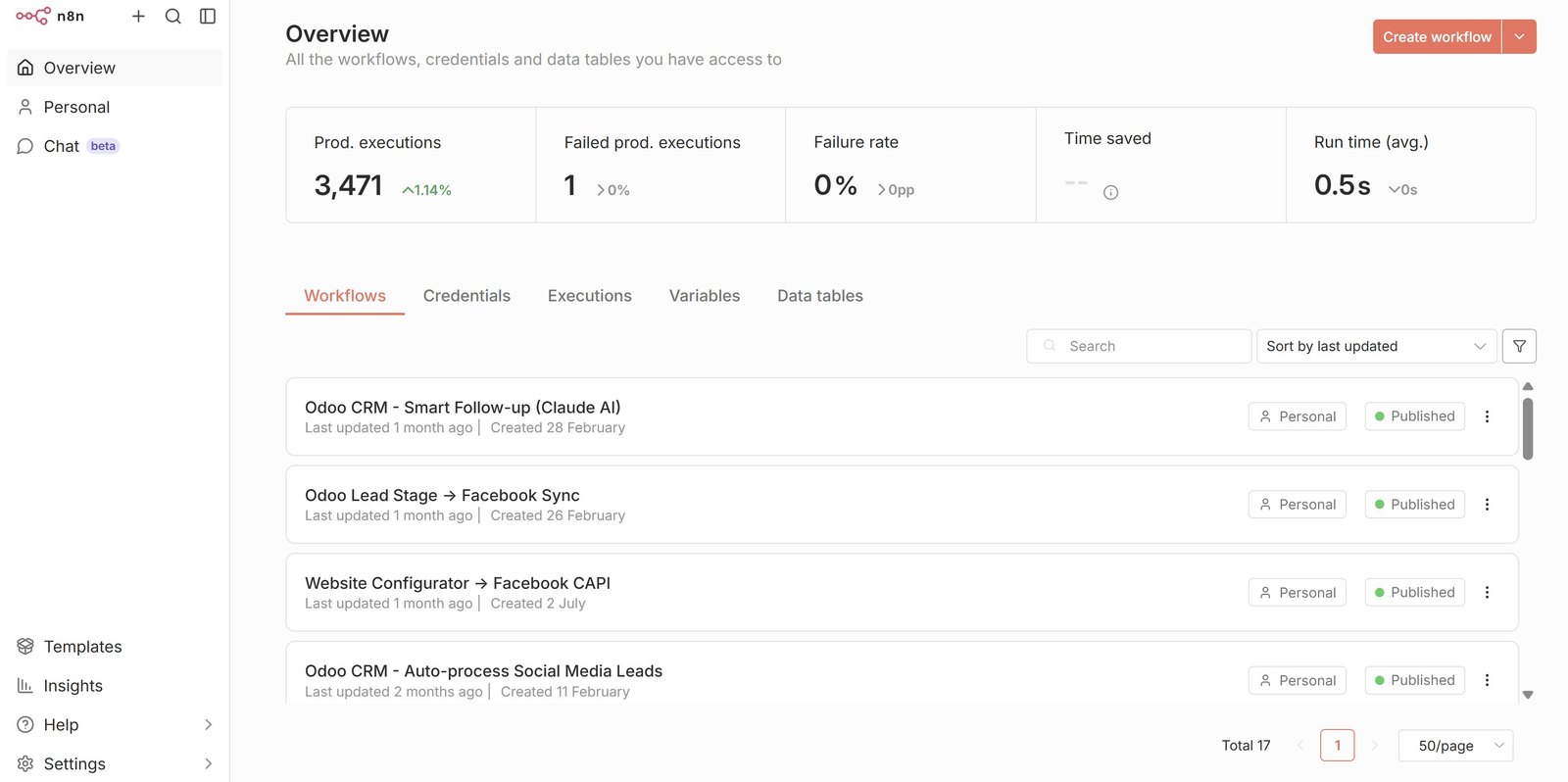
Follow-up flows built in n8n, a workflow automation tool: the moment a lead comes in, a sequence starts automatically — a first reply, a reminder if nothing has happened yet, a nudge to the right person once it genuinely needs a human.
Why it still runs
n8n was a deliberate choice: it runs in an ordinary container on a server you control, not a black box, and anyone who wants to adjust the flow later can do that without commissioning a new piece of custom work.
This is the direct real-world counterpart of Automatic lead and email follow-up as described on the approach page — the same setup, applied to the mailbox or CRM you already use.
See this example on the approach pageReal view
Reporting dashboards
The problem
Numbers that live in several systems — accounting, a CRM, a separate tool — got pulled together by hand into a spreadsheet once a month and emailed around, and by the time anyone read it the data was already out of date.
The solution
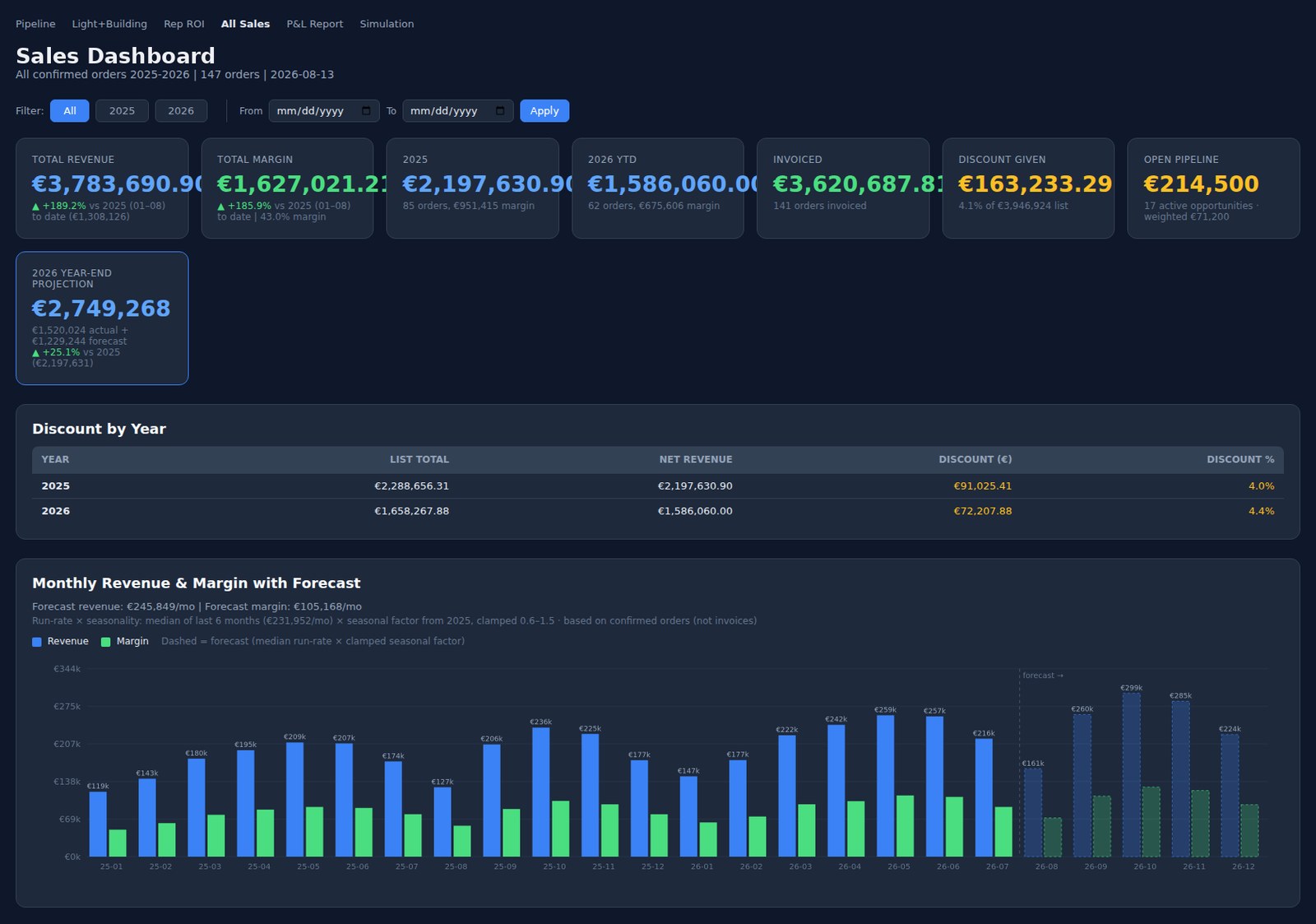
One view that brings the numbers from those systems together and keeps it current, so someone can just open it instead of exporting and pasting again.
Why it still runs
It stays useful as long as the underlying systems keep delivering the same data — if one of those sources changes, that’s the ordinary kind of adjustment Individual days exist for.
At your business the smaller version is numbers from two or three systems you already use, brought together into one view.
See Five daysReal interface, sample data
Plugins and extensions for Odoo
The problem
Odoo covers most of what an SME needs out of the box, but the one piece specific to how your business works is missing — and gets patched around by hand instead, in a loose spreadsheet or a workaround everyone knows and nobody likes.
The solution
An extension built on top of Odoo for exactly that missing piece: Odoo stays the system, the extension only solves what isn't standard yet, instead of a second, separate system growing up next to Odoo.
Why it still runs
That kind of extension evolves along with Odoo itself — when Odoo updates, the ordinary upkeep is checking the extension still lines up, the same kind of work as any link between systems.
Do you run Odoo yourself? Then the smaller version of this fits the same kind of engagement: Odoo stays the system, the extension only solves the piece that isn’t standard yet.
See Five daysReal view, data anonymised
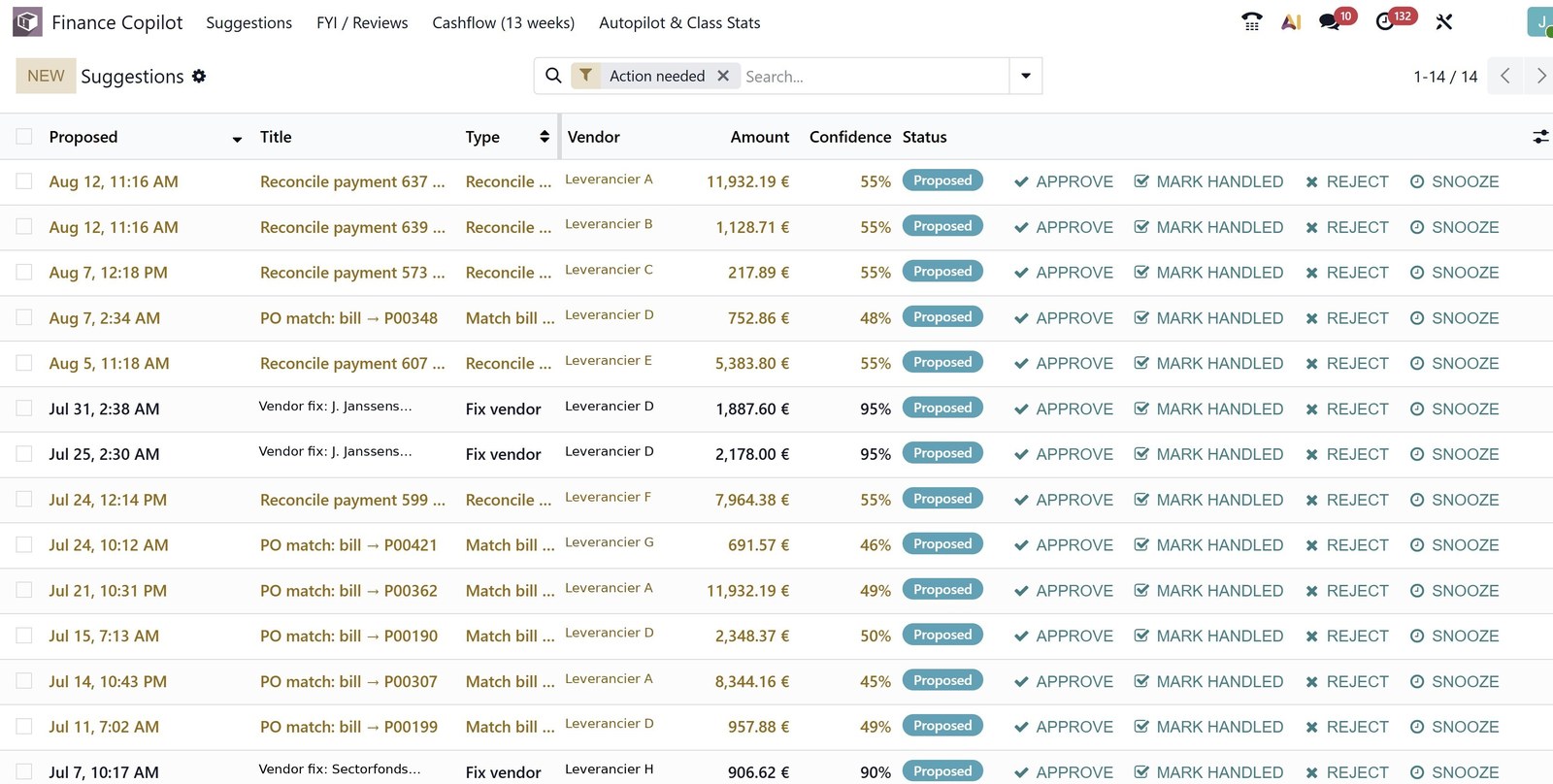
Mobile apps for Android and iOS, all the way to the stores
The problem
Building a working app is rarely the hard part. Projects usually stall right before a user ever sees it: code signing, the certificates and profiles each store requires, the review that can get an app rejected, and the metadata and screenshots each store demands before it goes live.
The solution
Apps for both Android and iOS that weren't just built but actually published — repeatedly, through that whole process, including staged releases so a new version doesn't go out to every user at once.
Why it still runs
The part where most mobile projects get stuck — code signing, provisioning, store review — is the part that's been done here repeatedly, without drama. That's the real skill, not writing the app itself.
This doesn't fit inside a fixed package: getting an app all the way into the stores isn't a few-days job, it's larger work at the day rate for Individual days. Often it isn't even necessary — for internal use, a web page that works properly on a phone, or internal distribution without a public listing, is frequently faster and cheaper. If you do need the real thing, this is what it plugs into.
See Individual daysSample view
- Android · Play Store
- iOS · App Store
- Signing and provisioning
- Staged rollout
Which example is closest to your situation?
Half an hour is enough to see which of these examples is closest to what's going on at your business.